What Is the BC Game App?

It is the mobile entry point to the same platform you see on your computer. There is no separate product and no edition made for the country. What opens on your phone is the international site in Spanish.
The brand has been running since 2017. It is operated by Twocent Technology Limited, a Belize company. Its gaming license comes from Anjouan, an autonomous island of the Union of the Comoros. In Argentina online gambling is regulated province by province, so checking the local situation is up to each player before opening an account. And you must be at least 18 years old.
So is there a real app? Yes, but the format changes depending on the phone. Android has an official APK. iPhone and iPad use a web app. On a computer, just use the browser.
From either mobile version you can do the same things:
- log in to your account or create a new one
- play slots, live casino and BC Originals
- bet on sports and esports, live or pre-match
- deposit and withdraw from the wallet
- claim bonuses and redeem codes in the Bonus section
- talk to support chat at any time
BC Game App Features
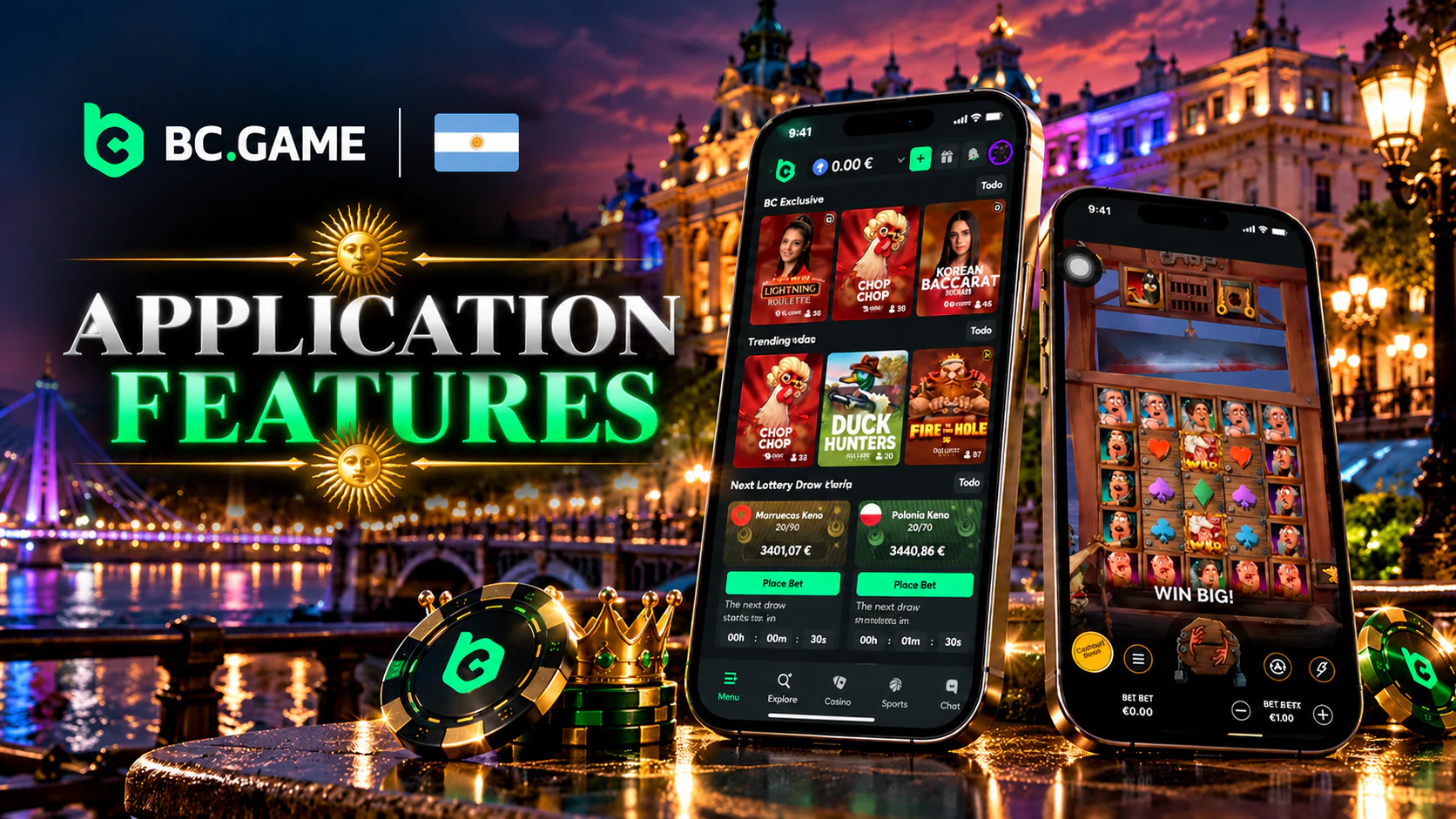
Does it bring anything the browser does not have? Almost nothing. It adds no exclusive games or promotions. The difference is convenience, and it comes down to this:
- An icon among your apps, which saves you typing the address every time.
- Push notifications inside the Android APK.
- Full screen, without the browser bar eating up space.
- Cash out on live bets, just like on desktop.
Casino Games in the App
The catalog is the same as on the site, with no cut-down version for small screens. Pragmatic Play contributes slots such as Sugar Rush, Big Bass Bonanza, Gates of Olympus and Sweet Bonanza. From Hacksaw Gaming, I would try Wanted Dead or a Wild.
The live casino runs on tables from Evolution and Pragmatic Play Live. Crazy Time and Lightning Roulette are live video and require a good connection. Leave them for when you have stable Wi-Fi.
BC Originals are the lightest option. Plinko, Mines, Crash, Limbo, Hash Dice, Keno, Classic Dice, Wheel, Coin Flip, Hilo and Tower Legend have almost no heavy graphics. Crash declares an RTP of 99%. All of them are provably fair, meaning you can verify a round that has already ended using the server seed, the nonce and the client seed. That checks the past and does not predict the next round.
The list is completed by sports betting, BC Poker and the jackpot lottery.

Última utilização 6 minutos atrás
Deposits and Withdrawals from Mobile
The wallet works fully on your phone. Crypto is the confirmed route, with more than 100 coins accepted. These include USDT, BTC, ETH, TRX, SOL, LTC and DOGE, to name a few. To deposit, follow this order:
- Open Wallet, tap Deposit and stay on the Crypto tab.
- Choose the coin and the network, the same ones as in the wallet you are sending from.
- Copy the address or scan the QR code. If it asks for a memo or tag, copy that too.
- Send and wait for the network confirmations.
Where do you keep your crypto? Many people here use Lemon, Belo or Binance. A mistake is expensive. If you send USDT on one network but chose another in the cashier, the funds will not be credited.
The numbers worth keeping handy:
- Minimum deposit set by coin and network, visible in the cashier. The first stage of the bonus requires $5.
- Crypto deposits have no public cap and no platform fee. The network charges its own.
- For withdrawals, the floor is around 20 USDT equivalent in major coins, according to the brand’s guide.
- Withdrawal fee of 0.1% plus the network fee. From VIP level 38 it drops to 0%.
- A crypto withdrawal takes between 5 minutes and 1 hour. If the amount is large, it goes through manual review, which takes between 1 and 6 hours.
And pesos? The brand’s guide for Argentina names ARS, Mercado Pago, Ualá, Rapipago and cards, but it is partly out of date. Count on them only if they appear in the Fiat tab of your wallet. To withdraw, the app asks for the 2FA code.
BC Game App for Android
This is the brand’s only installable app. Do not look for it on Google Play, because it is not there. If you want to download the BC Game app for Android, the way is through the official site and Chrome.
Many people arrive looking to download the BC Game app APK from any page that offers it. Do not do that. The good file comes from one place only, the Application tab or the Android download option on the site.
As for requirements, the brand’s guide mentions Android 5.0 and up. The size of the BC Game app APK is not published, so I will not give you an invented figure.
When you go to download the latest version of the BC Game app for Android, always do it from that same site and never from a link circulating in a group.
How to Install BC Game on Android
The fine detail is on the Download page. Here is just the essentials.
- Open the official site in Chrome and look for the Android download option.
- Accept the file download.
- When prompted, allow Chrome to install unknown apps.
- Tap the downloaded file and confirm the installation.
- Open the app and log in.
Once it is installed, revoke that permission from Chrome. It has done its job.
BC Game App for iPhone and iOS
You will not find anything official in the App Store. What exists for iPhone and iPad is the web app, which in practice is the site saved as an icon.
Is the difference noticeable? Barely. It has the same games and the same wallet, and there are no files to download. According to the brand’s guide, iOS 11.0 and up is enough. And it beats Android on one point, because it updates itself.
How to Use BC Game on iPhone
It has to be from Safari.
- Go to the official site.
- Tap the Share button.
- Choose Add to Home Screen and confirm.
- Open the new icon and log in.
BC Game App Requirements
This is what is confirmed for each system.
| Feature | Android | iOS |
| Operating system | Android 5.0 and up, according to the brand’s guide | iOS 11.0 and up, according to the brand’s guide |
| Format | Installable APK app | Web app with a home screen icon |
| Installation method | File downloaded with Chrome from the official site | Safari, then Share and Add to Home Screen |
| Official store | Not available on Google Play | Not available on the App Store |
| Connection | Wi-Fi or mobile data | Wi-Fi or mobile data |
| Updates | In-app notice and a new APK over the previous one | Automatic |
| File size | No published figure | No file |
RAM, processor and free space are not listed in any official source. I would rather leave the gap than invent it.
How to Log In to the BC Game App
If you already have an account, there is no need to create another one. The rule is one per person. You log in with the same method you used when registering:
- email and password
- phone number
- Google account
- Telegram
- passkey
- Cwallet
New here? The Sign Up button is on the same screen. You can sign up with email and password, phone, Google or Telegram, and confirm with a code. Think carefully about your email and username, because they cannot be changed later.
With 2FA enabled, the app asks for your Google Authenticator code. It is set up in Global Settings, under Security, and requires a verified email or phone.
Forgot your password? Look for the recovery option in the login form and, if you cannot find it, ask for help via chat. One warning. Changing your password or disabling 2FA pauses withdrawals for 24 hours.
Bonuses and Promotions in the BC Game App
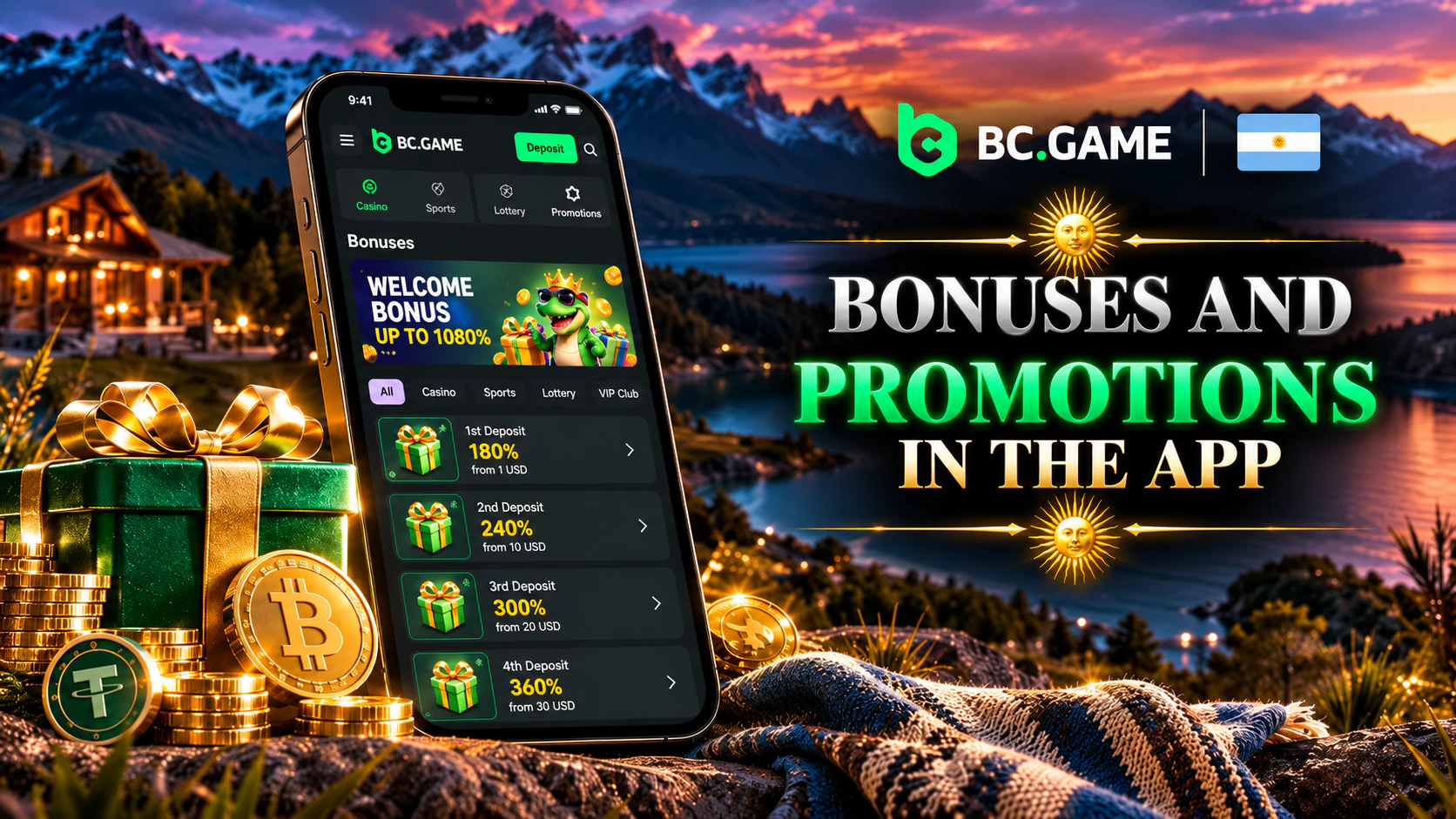
There is no bonus for installing the app. What you do get is full access to the usual promotions from the Bonus section. The welcome offer is a monthly four-deposit bonus:
- first deposit at 180%, from $5
- second deposit at 240%, from $10
- third deposit at 300%, from $20
- fourth deposit at 360%, from $30
It does not require a code and applies only to crypto deposits. After depositing, you have to claim it manually in Bonus. The balance comes in as locked BCD (1 BCD = 1 USD), and each settled bet releases part of it. The help center gives as a reference roughly $1 released for every $500 you bet. An example. If you deposit $40 in the first stage, you receive 72 locked BCD, and releasing the first $10 requires betting about $5,000.
The cycle starts again on day 1 of each month, with the UTC clock at 00:00. Here that falls at 21:00 the previous evening.
The rest is also on your phone. Rakeback on every bet, a daily bonus that arrives the next day, a weekly raffle and rewards for moving up VIP levels. From level 22, the weekly and monthly bonuses are added. A promo code is entered in the “Redeem your bonus here” field and confirmed by tapping Redeem Code.
BC Game App vs. Mobile Website
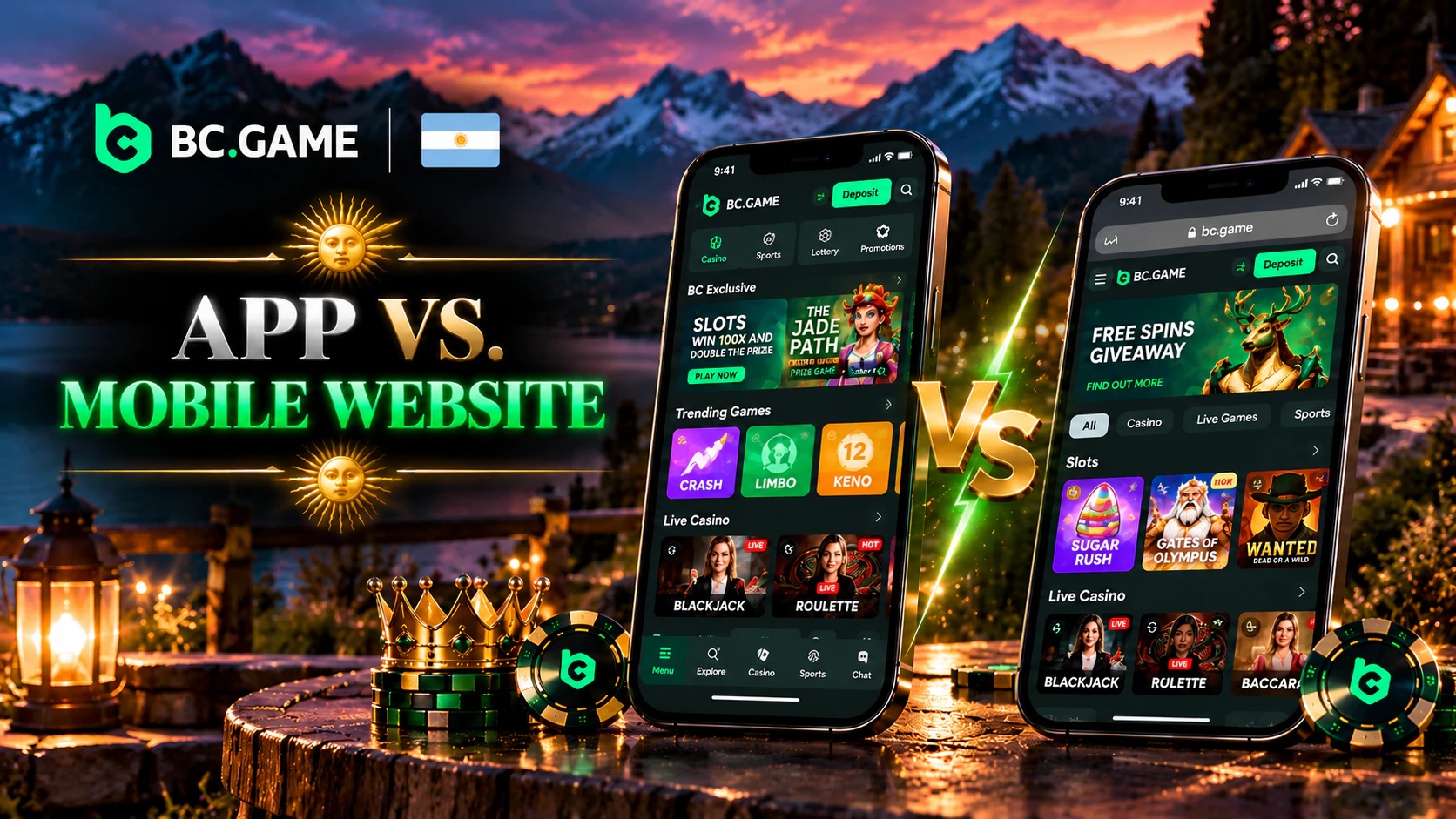
Does it make sense to install something when the browser does the same thing?
The mobile site asks for no permissions and takes up no space. It is the logical choice for a borrowed phone or a work phone. The downside is that you have to look up the address every time.
The installed app wins on quick access. On Android it adds push notifications, which let you find out about a promo without opening anything. In exchange, you have to take care of updates yourself.
What does not change in any case is the account. Balance, bonuses, VIP level and history are identical on your phone, tablet and computer.
BC Game App vs. Mobile Version Comparison
| Function | BC Game App | Mobile website |
| Installation | APK on Android, icon from Safari on iPhone | Not required |
| Games | Full catalog | Full catalog |
| Account | The same | The same |
| Payments | Full wallet, with Deposit and Withdraw | Full wallet, with Deposit and Withdraw |
| Promotions | Full Bonus section, no exclusive bonus | Full Bonus section |
| Updates | Manual on Android, automatic on iOS | Automatic |
| Push notifications | Yes on Android | Not confirmed |
| Access from other devices | Only where it is installed | Any device with a browser |
If you play several times a week from the same phone, install it. If you log in now and then, the browser is enough.
How to Update the BC Game App
On Android there is no store to do it for you. The app shows a notice when there is a new version, and the installer goes over the previous one. There is no need to uninstall anything, and your balance is untouched because it lives in your account.
And if the notice does not appear or the download stops? Go to the official site from Chrome and repeat the installation. To download the latest version of the BC Game app for Android, there is no other reliable channel.
With iPhone or iPad you can forget about it. Every time you open the web app, it brings the current version.
Common Problems with the BC Game App
The problems repeat themselves, and almost all of them can be fixed at home.
- The app does not open or closes by itself. It is almost always an old version or a phone with full memory.
- Login fails. Check that you are using the same method as when you registered.
- The interface goes blank. It points to the connection or to corrupted saved data.
- A game will not start. Try another title from the same studio.
- The update will not install. There is not enough space, or Chrome has lost the permission to install apps.
- The site does not load on any network. Look for the official mirror list in the help center.
What to Do If the BC Game App Is Not Working
Follow the list in order.
- Test the connection. Switch from Wi-Fi to mobile data or the other way around.
- Close the app completely and open it again.
- Check whether a new version is pending and install it.
- On Android, clear the cache from the app settings. On iPhone, remove the icon and add it again from Safari.
Última utilização 6 minutos atrás
What to Do If the BC Game App Is Not Working
Follow the list in order.
- Test the connection. Switch from Wi-Fi to mobile data or the other way around.
- Close the app completely and open it again.
- Check whether a new version is pending and install it.
- On Android, clear the cache from the app settings. On iPhone, remove the icon and add it again from Safari.
- Check the device. Free space, up-to-date system and a restart.
- If nothing works, write to [email protected] or open live chat and attach a screenshot of the error.
If what is failing is a deposit that does not appear, add the order ID, which is in Wallet, under Transaction. The brand does not have an official phone number.
How to Use the BC Game App Safely
The biggest risk is installing a fake file. MOD APKs promising infinite balance or Crash predictors are bait to steal your account or your crypto wallet.
What I would do:
- Download the installer only from the official site or from a domain on the help center’s mirror list.
- Do not install a BC Game app APK that arrives via Telegram, WhatsApp or a forum.
- Use a password that you do not repeat on any other service.
- Enable 2FA with Google Authenticator.
- Lock your phone with fingerprint, face or PIN.
- Do not share your account. You are responsible for the bets placed with it.
From your account settings you can set betting and loss limits, or self-exclude for a period or permanently. Play with money you can afford to lose, because this is entertainment and not income.